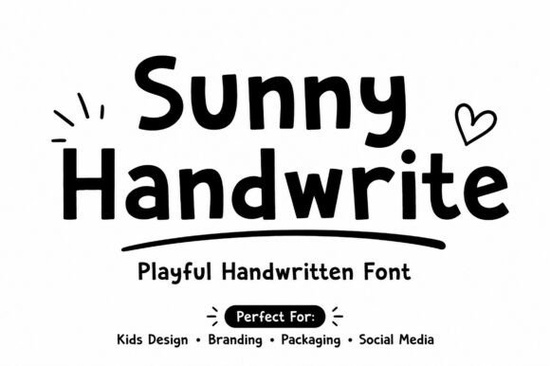
Choosing the right typography can completely change how people feel about your design. If you are looking for something warm and inviting, the Sunny Handwrite Font is a solid option to consider. This typeface brings a cheerful and playful vibe that works well for projects needing a personal touch. Unlike stiff corporate fonts, handwritten styles connect with viewers on a more emotional level. They suggest creativity and approachability, which is essential for brands wanting to feel friendly.
Many designers struggle to find a script that looks natural but remains easy to read. This font family addresses that balance with bold strokes and friendly curves. It mimics the flow of actual handwriting without sacrificing clarity. Whether you are working on digital screens or physical prints, the letterforms hold up well. This makes it a versatile choice for various creative tasks.
What kinds of projects work best with this style?
This typeface shines in contexts where warmth is a priority. It is an excellent fit for children's books and classroom materials because it feels familiar and safe. Teachers and parents often prefer fonts that look less mechanical when creating learning aids. Beyond education, it performs well in social media graphics where stopping the scroll is key. A playful font can make a quote or announcement feel more shareable.
For those running print-on-demand businesses, typography is often the main design element. This font works beautifully on t-shirts, mugs, and tote bags. Its bold strokes ensure the text remains visible even when printed on textured fabrics. Product packaging also benefits from this style, especially for handmade goods or organic products. It signals to the customer that care went into the creation process. Branding projects for cafes, bakeries, or boutiques can also use this to establish a welcoming identity.
How do you maintain readability in handwritten fonts?
One common issue with script typefaces is legibility at smaller sizes. To avoid this, ensure you have enough contrast between the text and the background. Dark text on a light background usually works best for body copy. If you are using it for headlines, you have more freedom with colors. Always check your kerning, which is the space between individual letters. Handwritten fonts sometimes need manual adjustment to prevent characters from overlapping awkwardly.
Pairing is another important factor. Since this font has a lot of personality, combine it with a simple sans-serif for body text. This creates a hierarchy that guides the reader's eye. Do not mix it with another complex script, as that can look messy. Keep the rest of your design elements minimal to let the typography stand out. Testing your design on different devices ensures it looks good everywhere.
Are there similar fonts worth exploring?
If you enjoy this aesthetic, you might want to browse other options to find the perfect match for your specific needs. Different scripts offer varying levels of flair and structure. For example, if you want something with a bit more flow, you could look at Magnetica. It offers a unique script style that might complement your project differently.
For those who prefer elegant curves, Galistalia is another calligraphy option worth checking out. It brings a sophisticated touch while maintaining readability. If you need something slightly more structured, Sailma provides a clean alternative. Each of these fonts has its own character, so testing them side-by-side helps.
Sometimes you need a font that feels purely fun. In that case, Laugh Beach might catch your eye with its playful nature. For designs requiring a modern twist on handwriting, Amorphose offers a distinct look. Exploring these variations ensures you don't settle for the first option you see. Having a library of go-to fonts saves time during the creative process.
What file formats should you expect?
When downloading typography assets, you typically receive multiple file types. Common formats include OTF, TTF, and WOFF. OTF and TTF are standard for desktop applications like Adobe Photoshop or Microsoft Word. WOFF files are optimized for websites to ensure fast loading times. Always check the license agreement before using the font commercially. Most creative marketplaces allow use on physical products for sale, but digital templates might have different rules.
Installing the font is usually straightforward. On Windows, you can right-click the file and select install. Mac users can double-click the file and use the Font Book. Once installed, restart your design software to see it in the list. Keeping your font library organized helps you find what you need quickly. Consider grouping them by style, such as scripts, serifs, or display fonts.
Quick Checklist for Using Handwritten Typography
- Verify the license allows commercial use for your specific product.
- Test readability at different sizes before finalizing the design.
- Pair with a simple sans-serif font for body text.
- Check contrast levels between text and background colors.
- Download all file formats (OTF, TTF, WOFF) for flexibility.
- Adjust kerning manually if letters feel too crowded.
Taking these steps ensures your final design looks professional and polished. Good typography supports your message rather than distracting from it. By choosing a font with character, like the ones mentioned above, you add personality to your work. Remember to save your original files separately from your exports. This makes future edits much easier if a client requests changes. Happy designing.
Get Started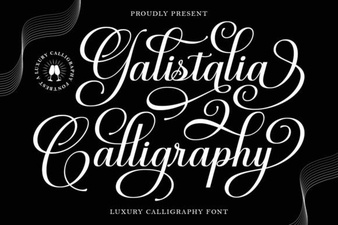 Galistalia Font: Creative Lettering & Design Projects
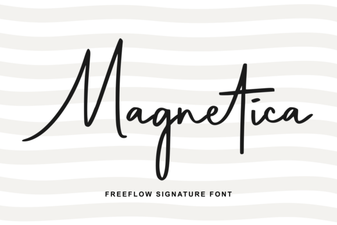 Enhance Projects with Magnetica Modern Font Design
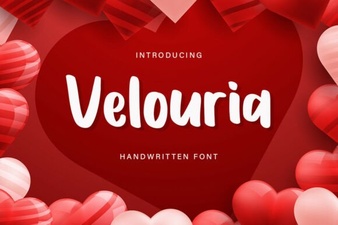 Velouria Font: Design Your Creative Projects
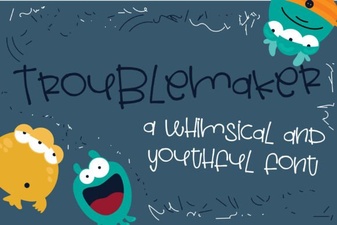 Introducing the Troublemaker Font for Creative Projects
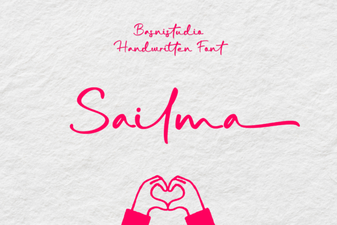 Sailma Font for Creative Design Projects
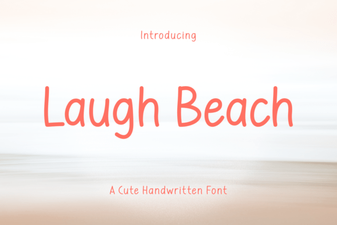 Laugh Beach: a Playful Font for Creative Projects