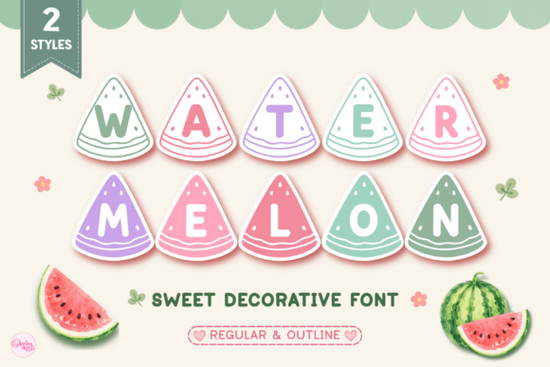
When warm weather arrives, everyone wants designs that feel bright and cheerful. If you are looking for a typeface that captures that vibe instantly, the Watermelon Font is a solid choice. It brings a playful energy to any project without requiring complex design skills. This specific typeface is built around the idea of summer fun, featuring letters that look like juicy fruit slices. Whether you are making items for sale or creating gifts for family, having the right typography makes the process smoother and the results more professional.
Many crafters struggle to find fonts that look cute but remain readable. This option solves that problem by balancing whimsy with clarity. The design includes distinct shapes that mimic seeds and rinds, helping your audience immediately understand the theme. It is particularly useful for seasonal work where timing matters. You want files that are ready to use so you can focus on production rather than fixing letter spacing or editing vectors.
What styles come with this download?
When you access this file, you will find two distinct variations included in the package. The first is the Regular style, which is filled and ready for solid color applications. This version works well when you need bold text that stands out against a busy background. The second option is the Outline style. This version provides just the border of the letters, allowing you to fill them with patterns or different colors manually.
Having both styles gives you flexibility. For example, you might use the regular version for a main headline on a t-shirt and the outline version for a smaller tagline on a sticker. This variety means you do not need to buy multiple fonts to get different looks for the same project. It saves money and keeps your design library organized. You can layer these styles in your design software to create depth or use them separately depending on the material you are printing on.
Which creative projects suit this typeface best?
This typeface shines in scenarios that call for a lighthearted touch. It is particularly popular among those using cutting machines like Cricut or Silhouette. The shapes are clean enough to cut from vinyl without losing detail. If you are making summer shirts for a family reunion or a school group, this font helps unify the theme. It also works well for sublimation designs where color gradients can be applied to the letters to enhance the fruit effect.
Teachers often look for resources that make classrooms feel welcoming. This font is excellent for classroom decor, name tags, or welcome signs. Kids respond well to the friendly shapes, making it a practical tool for educational materials. If you run a small business selling DIY gifts, consider using this on tumblers and mugs. These items are popular during the warmer months, and the design matches the seasonal demand. If you want to explore more options, you can browse this collection of decorative fonts to find complementary styles for your projects.
How do you adjust colors for vinyl versus sublimation?
Color selection changes depending on your production method. For vinyl, you are limited to solid colors available in your material stack. The classic choice is red for the flesh and green for the rind, but you can experiment with pink or yellow for a unique twist. When using the outline style, you can layer green vinyl behind red vinyl to create the rind effect manually. This technique adds a professional touch that single-color cuts might miss.
Sublimation offers more freedom. You can use software to add gradients, shadows, or even realistic seed textures inside the letters. Since the base shape is already defined by the font, you do not need to draw the fruit from scratch. This saves significant time during the design phase. Just ensure your background is white or light-colored, as sublimation ink does not show up well on dark fabrics. Testing a small sample before running a full batch is always recommended to check color vibrancy.
What software supports these file types?
Most standard design programs will open these files without issues. They typically come in OTF or TTF formats, which are compatible with Windows and Mac operating systems. Once installed, the font appears in your text menu alongside your other typefaces. You can use it in Adobe Illustrator, Photoshop, Canva, or CorelDRAW. If you use web-based tools like Canva, you may need to upload the file if you have a Pro account, or use the desktop app for full compatibility.
For cutting machines, you will often convert the text to paths or outlines before sending it to the software. This ensures the machine reads the shapes correctly rather than trying to interpret the font file itself. Always check the license terms included with your download. Most creative assets allow for commercial use, meaning you can sell physical items made with the font. However, redistributing the digital file itself is usually prohibited. Keeping track of these rules protects your small business from potential legal issues down the line.
Quick Project Checklist
Before you start designing, run through this short list to ensure your project goes smoothly:
- Check License: Confirm commercial use is allowed for your specific product.
- Install Files: Add both Regular and Outline styles to your system font folder.
- Test Cut: Run a small vinyl test to ensure intricate parts weed easily.
- Color Plan: Decide on your palette (classic red/green or custom) before starting.
- Pairing: Choose a simple sans-serif font for body text to balance the decorative header.
Taking these steps helps you avoid common pitfalls like unreadable text or material waste. With the right preparation, you can create fun, seasonal products that customers love.
Try It Free Luckies Font: Free & Fun Typography for Creative Projects
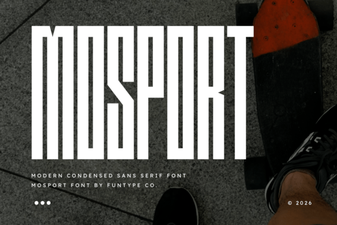 Mosport Font: Free Retro Racing Font for Designers
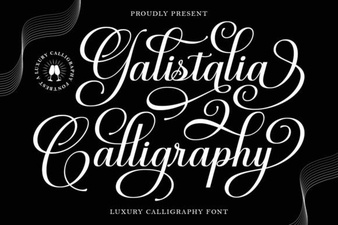 Galistalia Font: Creative Lettering & Design Projects
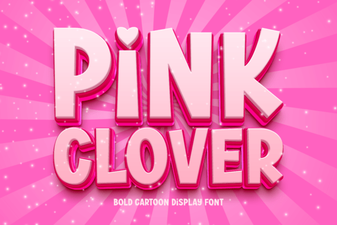 Pink Clover Font: Elegant Design for Creative Projects
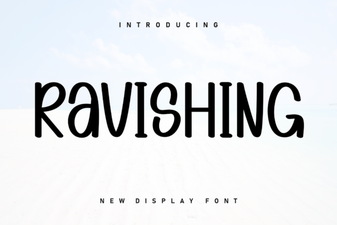 Ravishing Fonts for Creative Projects & Design Impact
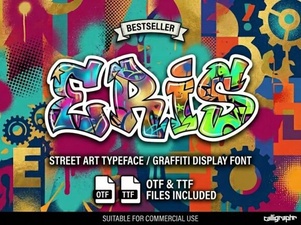 Eris Font: a Creative Design Asset